

Designing a Conference Room People Stop Avoiding
Every organization has a conference room with a reputation. It might be the good one, booked out three weeks ahead. It might be the one people avoid, where meetings start six minutes late while somebody hunts for the right cable.
The difference is rarely the size of the display. It is almost always audio, and the first sixty seconds.
The first sixty seconds decide everything
Watch a meeting start in a room that works. Someone walks in, the room wakes up, they choose what they want on the screen, and the call connects. Nobody explains anything to anybody.
Watch a meeting start in a room that does not. Somebody wakes the display, finds the wrong input, tries a cable, tries a different cable, asks whether it is the one with the dongle, and eventually says we can just do it on my laptop. That last sentence is the sound of an installation having failed, and the room will now carry it.
So design for that minute specifically.
One obvious way to start. Not a remote in a drawer, not a sequence. A panel or a touch surface, in a consistent place, that says what it does in the words a person would use.
A small number of choices, named plainly. Share my laptop. Start a call. Show the room camera. Not a list of inputs.
Cables that live in the room and are labeled. Whichever connectors your organization actually uses, present at the table, in a state that does not require a search. This is unglamorous and it prevents more failed meetings than any other single item.
A graceful reset. Every room should have one button that puts it back to a known good state, and everybody should know which one it is.
Audio is the reason remote people disengage
If people on the far end have to work to follow the conversation, they stop participating, and the meeting quietly becomes a presentation to an audience that has muted itself and opened email.
Three things cause it.
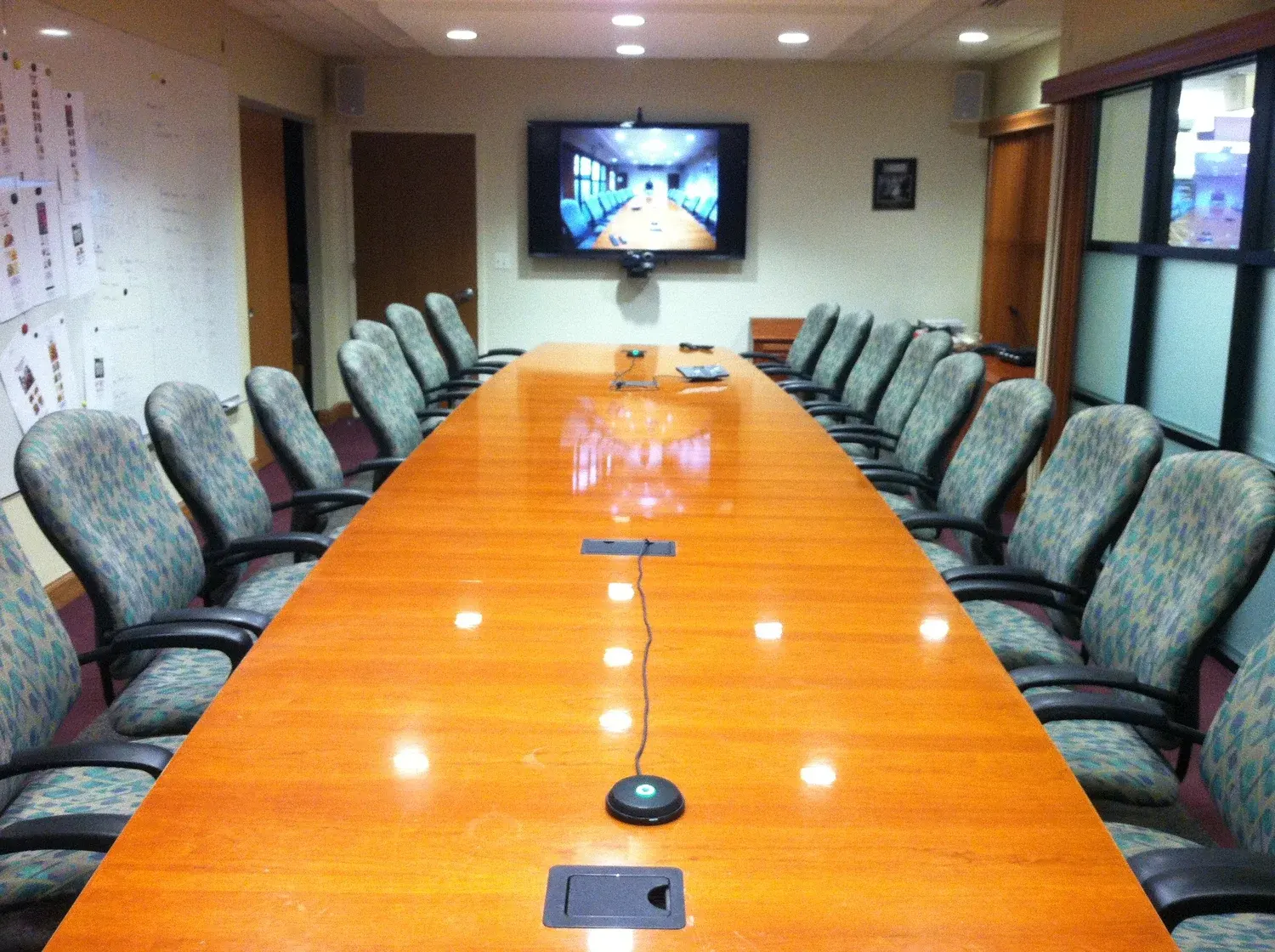
Distance. A microphone at one end of a long table and a speaker at the far end are not going to sound the same. Coverage has to reach everybody who might talk, which is a design decision based on the table shape and the seating, not on a single device placed in the middle.
The room itself. Glass walls, a hard table, and a bare ceiling produce reflections that make voices sound distant and hollow on the far end even when the level is fine. Some absorption on a wall or ceiling changes a room like this more than any electronics will.
Noise. Air handling, a corridor door, the hum of a display. It is easy to stop noticing in person and it is fully present on the far end. Listen to the room from the far side of a call before signing off on it, because that is a completely different experience from sitting in it.
The far-end listening test is the single most useful acceptance test for a meeting room. Dial in from another building with headphones and have people speak from every seat, including the ones nobody expects to be used.
Camera framing is worth more than camera resolution
Remote participants are trying to read faces. A wide static shot of a long table gives them people at the far end who are too small to read.
What helps is a camera that frames the people in the room sensibly, positioned so participants are looking roughly toward it rather than in profile. In a long room that often means the camera goes at the end everyone faces, which may not be where the display is, and that is a real design tension worth resolving deliberately.
Also light the room for faces. A conference room lit entirely from directly above puts shadows in eye sockets. It is a small change with a large effect on how people in the room appear to everyone else.
Design around the platform you actually use, without marrying it
Most organizations run on one conferencing platform and occasionally have to join a client’s. Design for the daily case: joining your standard platform should be the fastest thing the room does.
But do not build a room that can only ever do that. Make sure somebody can share a laptop and use the room’s audio and camera through it, because sooner or later a client will insist on a platform you do not run. That single capability saves a surprising number of meetings.
Get IT into the conversation during design
A modern meeting room is a network device. It needs addresses, ports, sometimes its own segment, and a plan for updates. It will interact with your identity system and your calendaring.
The most common reason a beautifully installed room is not yet working is that this conversation happened after the installation instead of during the design. Bring the people who run the network into the room selection and design phase, not the commissioning phase.
Then write one page and stick it to the wall
The most read document produced by any conference room project is a single page saying how to turn the room on, how to get your laptop on the screen, how to start a call, and who to contact when something is wrong.
Write it in the words your people use. Put the room name and a way to report a problem on it. Keep it visible rather than in a drawer.
The measure of success
A good meeting room is not one that impresses visitors during a tour. It is one where meetings start on time, remote participants argue with people in the room instead of watching them, and nobody ever says let us just do it on my laptop.
That standard is reachable in almost any space. It mostly requires taking audio seriously, designing the first minute deliberately, and testing the room from the far end before anybody signs it off.
Long Island Video designs, installs, commissions, and supports conference room and boardroom systems for companies across the New York metropolitan region, including displays, sound, and conferencing, with training and support afterwards. If you have a room people avoid, tell us about it or call 516 759 5483.